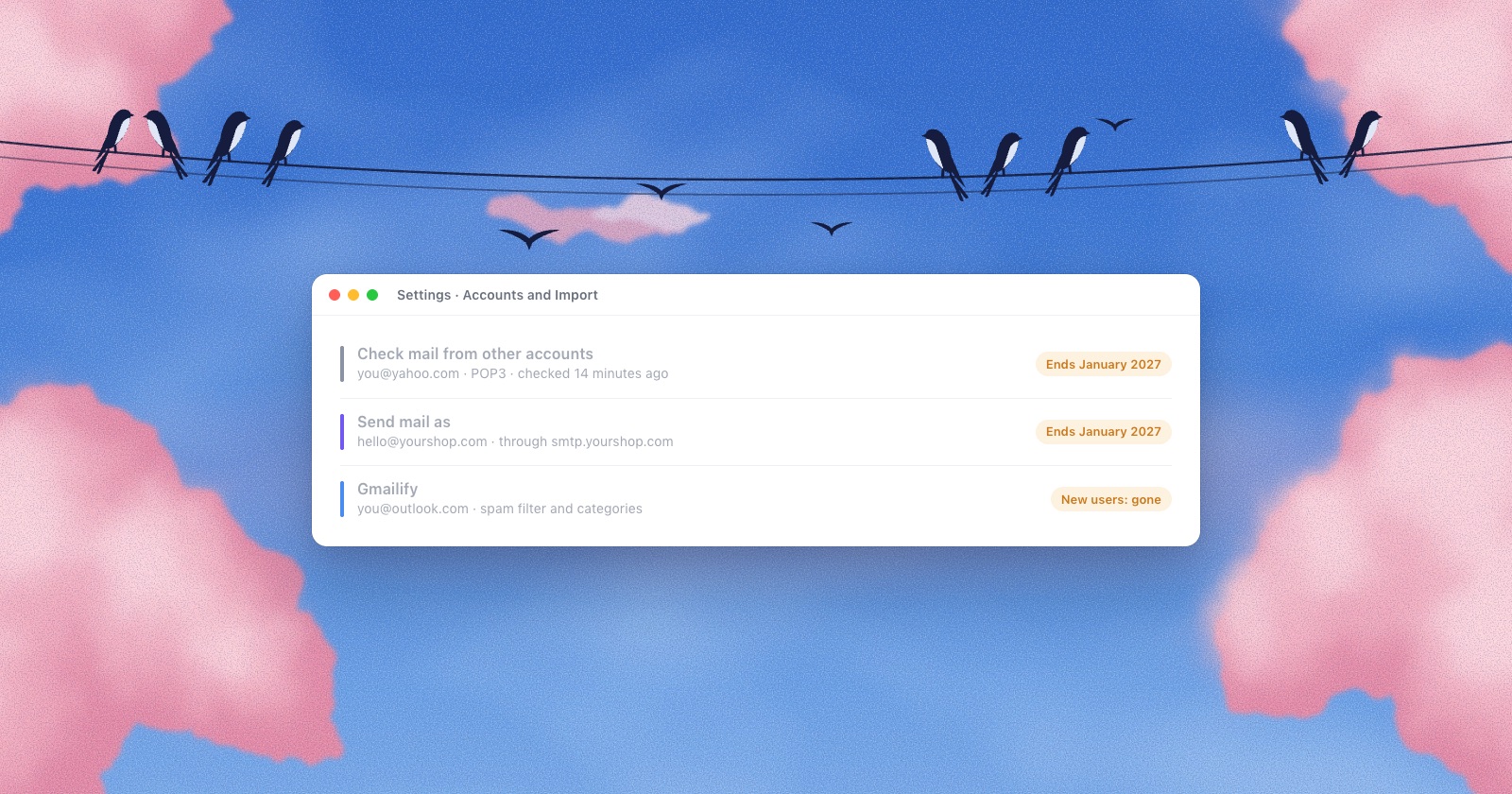
If you read a Yahoo, Outlook or work address inside Gmail on the web, that setup stops working in January 2027. Google is removing three features together: “Check mail from other accounts” (Gmail collecting mail over POP), Gmailify, and “Send mail as” for addresses that don’t belong to Google.
I make a Mac mail app, so I have an interest in where people go next. To keep that out of the facts, everything below comes from Google’s and each provider’s own help pages, linked at the end. Where Google’s pages contradict each other, I say so.
The short version
- New users lost Gmailify and POP fetch after the first quarter of 2026. Everyone else keeps them until January 2027. Google hasn’t named a day.
- “Send mail as” for outside addresses ends at the same time, in Gmail on the web and in the Gmail apps. Most articles about Gmailify leave this out.
- Mail Gmail already fetched stays in your mailbox.
- Forwarding into Gmail still works, but Google’s own guide says forwarded mail “often fail[s] SPF authentication”, and from January you can’t reply as the other address.
- For people who send from several addresses, Google recommends “transitioning to a desktop mail client” that connects to each account over IMAP and SMTP.
What ends, and when
Google’s page on the change gives this timeline. It’s the third version: the change was first announced in late 2025 for January 2026, and in February 2026 heise reported that Google had pushed it back. Many articles that still rank for “Gmail POP3 ending” give January 2026, or a made-up day like January 1 or January 20.
- After Q1 2026Gmailify and POP fetch stop accepting new users. Google: “this feature no longer supports new users.”
- Q3 2026Google announces the end of “Send as” for outside addresses and starts showing notices inside Gmail.
- Q3 to Q4 2026A transition period. All three still work, “but Gmail may restrict new configurations.”
- January 2027Gmail “will fully remove” Send as for third-party accounts, Gmailify and POP.
The reason Google gives is that these features “require disproportionate maintenance resources.”
Gmailify
Gmailify linked a Yahoo, AOL, Outlook or Hotmail account to Gmail and gave it Gmail’s spam filter, inbox categories, better phone notifications and Gmail’s search operators. Labels you made in Gmail also showed up as folders in the other account. All of that goes.
Check mail from other accounts
This is the POP fetch under Settings › Accounts and Import: Gmail logged in to your other server every so often and copied new mail into your Gmail. Google’s wording: “Gmail will no longer fetch emails from third-party accounts into your Gmail account with POP.”
Send mail as
This is the part people miss. A lot of setups work like this: the other address forwards to Gmail, and Gmail replies as that address through “Send mail as.” From January 2027, Google says “you will no longer be able to send mail from third-party email accounts in Gmail on the web or in the Gmail mobile apps.” Aliases between Google accounts, and Google Workspace’s own Send as, aren’t affected.
What keeps working
- Mail already imported into Gmail stays there.
- Forwarding from another provider into Gmail. Google confirms you can still “configure your third-party provider to auto-forward messages to your Gmail address.”
- The Gmail app on iPhone, iPad and Android can still add other accounts over IMAP (and POP, on Android only). They show up as separate accounts in the app, not as mail inside your Gmail, and they lose Send as in January too.
- Gmail itself is unchanged for other apps. Apple Mail, Outlook, Thunderbird or any other mail app “can still access your Gmail account through IMAP or POP.” Headlines saying “Gmail ends POP3” mix this up: Gmail’s own POP and IMAP stay.
- The one-time import (Settings › Accounts and Import › Import mail and contacts) stays. It copies old mail once and doesn’t keep syncing.
Option 1: forward the other account to Gmail
Google’s first suggestion is to turn on automatic forwarding at your other provider. Whether that is free, and what breaks, depends on the provider. I checked each one’s help page on 4 November 2026:
| Provider | Where to turn it on | Cost | The catch |
|---|---|---|---|
| Outlook.com | Settings › Mail › Forwarding | Free | Needs two-step verification. Replies to forwarded mail go back to your Outlook address, “not to the original sender.” |
| Yahoo Mail | Settings › Mailboxes › your mailbox › Auto-forwarding | Yahoo Mail Plus only | Free forwarding ended in 2021, and it’s “not available in all locales.” |
| iCloud Mail | icloud.com › Mail › Settings › Mail Forwarding | Free | Custom-domain addresses forward too. One forwarding address. |
| Zoho Mail | Settings › Mail Accounts › Forwards | Paid plans | “Not available for new users on the Free plan.” It turns itself off after ten failed deliveries in a row. |
Forwarding also has two problems that no setting fixes.
The first is spam. Forwarded mail arrives at Google from your other provider’s servers, not from the original sender’s, so it often fails the SPF check that proves where a letter came from. Google’s own page on forwarding says Gmail “might incorrectly mark some messages as spam or phishing.” Its fix is to add the other address under “Send mail as,” which is the feature being removed. That page hasn’t caught up yet.
The second is replies. Once Send as is gone, a reply you write in Gmail goes out from your @gmail.com address. The person who wrote to [email protected] gets an answer from a Gmail address they don’t know, and the letter isn’t in your shop account’s Sent folder either. Reading, archiving and deleting in Gmail don’t carry back to the other account.
So forwarding suits an address you only read: an old university account, a newsletter address, a domain nobody writes to anymore. For an address people expect answers from, it gets awkward quickly.
Option 2: the Gmail app on your phone
The Gmail app keeps working with other accounts, so on a phone this is the smallest change. It doesn’t help on a computer: Google makes no Gmail app for the Mac (more on that in Is there a Gmail app for Mac?). And from January, the app can’t send as an outside address either. Each account sends as itself.
Option 3: a mail app that connects to each account
This is the option Google points to for anyone who relies on Send as: “We recommend transitioning to a desktop mail client. This client should have IMAP/SMTP support.” Its main list puts it as connecting to each account “to manage multiple accounts in one place.”
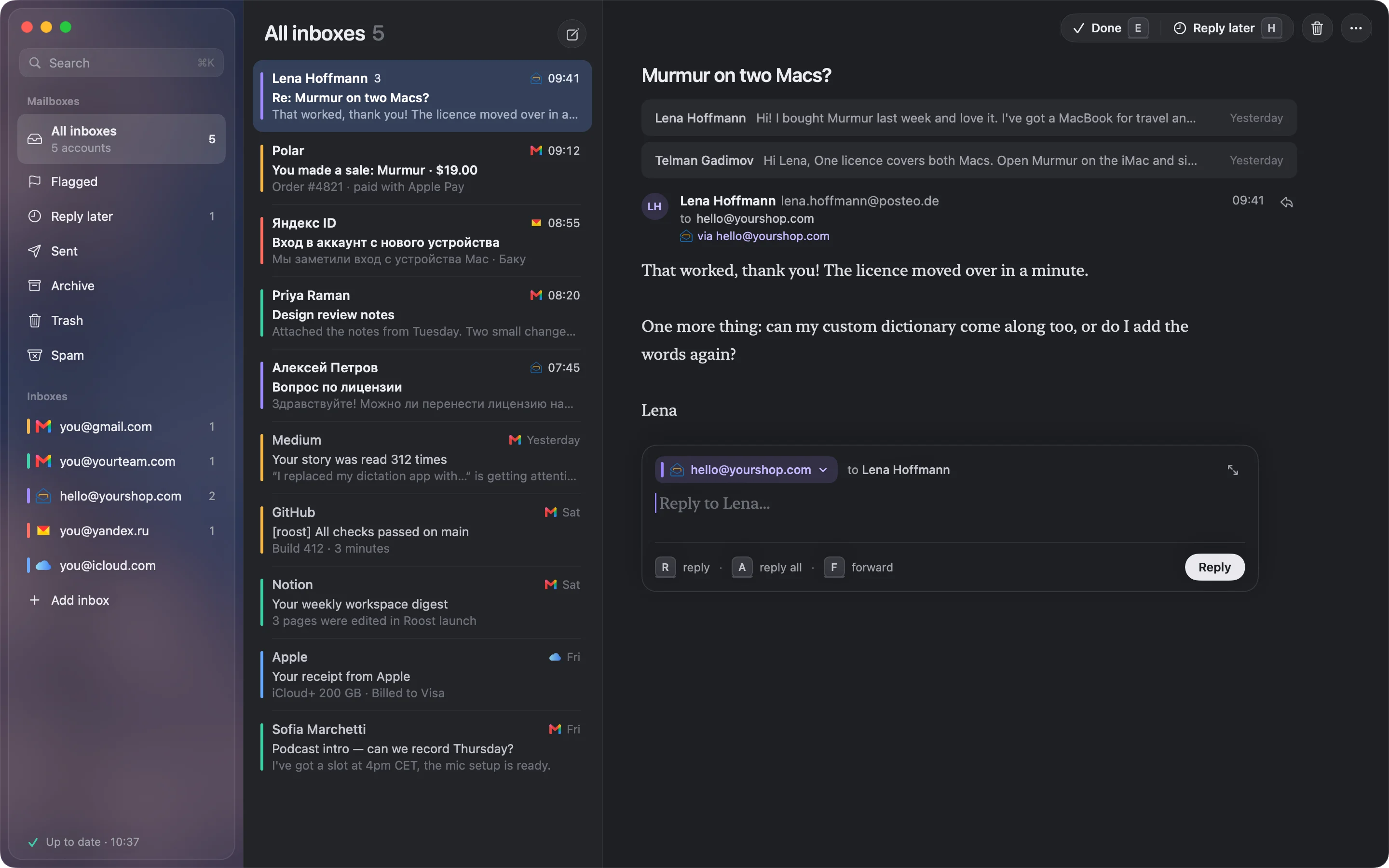
The difference from forwarding is where the mail goes. A mail app logs in to each provider directly to read, and sends through that provider’s own outgoing server. Your shop letter leaves from your shop’s mail server, with your shop’s address, so it passes the sender checks the normal way, never says “on behalf of,” and the copy lands in that account’s Sent folder. Nothing needs forwarding, and Gmail stays Gmail.
If you go this way, check four things before you pick an app:
- It replies from the address each letter came to, without you choosing every time. Apple Mail has a setting for this, and people still report it picking the wrong account.
- It supports every provider you have. Some well-known Mac apps work only with Gmail, or only with Gmail and Outlook.
- Where your passwords end up. Google warns that replacement services “often require access to your email credentials or OAuth tokens.” Some apps sync through their own servers, and the new Outlook for Mac copies outside accounts through Microsoft’s cloud. An app that keeps sign-ins in your Mac’s Keychain and talks to your providers directly keeps them with you.
- It handles Gmail’s labels and All Mail without showing every letter twice.
I compared eleven of them in The best email client for a Mac with several accounts.
A checklist before January
- In Gmail on the web, open Settings › See all settings › Accounts and Import. Write down every address under “Check mail from other accounts” and “Send mail as.”
- For each address, decide: forward it (you only read it) or read it in a mail app (you reply from it).
- Check what each provider needs. iCloud and Yahoo want an app-specific password for other apps. Zoho’s Free plan doesn’t offer IMAP to new users, which I cover in Zoho Mail on a Mac.
- Add the accounts to your mail app and send yourself a test reply from each. Look at the From line and at that account’s Sent folder.
- When it works, delete the entries in Gmail’s “Check mail from other accounts,” so new mail doesn’t arrive twice. What Gmail already fetched stays.
Where Roost fits
Roost is the Mac app I’m making for exactly this setup. I have Zoho, several Gmails and Yandex myself. It connects to Gmail, iCloud, Yahoo, AOL, Zoho, Yandex and any IMAP address, shows them in one inbox, and replies from the address each letter came to. Mail and sign-ins stay on your Mac, in its storage and Keychain. There is no Roost server for anything to pass through.
Two limits, so you know before you try it. Outlook.com isn’t supported yet: Outlook.com’s IMAP has been refusing almost every login we try since September 2026, so it waits for Microsoft. And Gmail connects with an app password until Google finishes reviewing Roost’s Google sign-in.
Questions
When exactly does Gmailify stop working?
For new users it stopped after the first quarter of 2026. If you already use it, it keeps working until January 2027. Google hasn’t published a day in January, so treat any article that names one as a guess.
Will I lose the emails Gmail already fetched from my other account?
No. Google says messages you’ve already imported from a third-party account will remain in your mailbox.
Can I still forward mail from another address to Gmail?
Yes. Forwarding into Gmail keeps working. Forwarded mail can fail SPF checks and land in spam, and from January 2027 you can’t reply as the other address from Gmail.
Is Gmail ending POP3 and IMAP for Gmail itself?
No. You can still read your Gmail in Apple Mail, Outlook, Thunderbird or any app over IMAP or POP. Only Gmail collecting mail from other providers over POP is ending.
Does this affect Google Workspace?
Google says aliases between Google accounts and Google Workspace’s own Send as aren’t affected. Its page also tells work and school users that an administrator can migrate outside mail into Workspace, which suggests fetching outside mail ends there too. I couldn’t find a separate Workspace notice, so check with your administrator.
How do I keep replying from my other address after January 2027?
Reply from that provider’s own website or app, or use a mail app that connects to the account over IMAP and SMTP. Then the reply goes through that provider’s own server with the right address.
Sources
- Google, Learn about changes to third-party email account support in Gmail (timeline, Send as, what’s not changing)
- Google, Learn about upcoming changes to Gmailify & POP in Gmail
- Google, Best practices for forwarding email to Gmail (SPF and spam)
- Google, Send emails from a different address or alias
- Microsoft, Turn on or off automatic forwarding in Outlook.com
- Yahoo, Auto-forward your Yahoo Mail
- Apple, Forward email messages in iCloud Mail
- Zoho, Email forwarding (last updated July 30, 2026)
- heise online, report on Google extending the deadline, February 23, 2026