Before you start
- Your AOL address and password, to sign in on AOL’s page.
- The browser you normally use for AOL Mail, not a private window. AOL only offers app passwords in a browser you’ve signed in with for several days in a row.
- Roost open on Add your inboxes, with your address typed in.
Why this is safe
- You make the app password on login.aol.com, AOL’s own site. Roost never sees your AOL password.
- Roost keeps the app password in your Mac’s Keychain and has no server to copy it to.
- You can delete it on AOL’s page at any time, and Roost loses access at once.
Step by step
-
Open AOL’s Account Security page
Click AOL Account Security in Roost’s setup line, or go to login.aol.com/myaccount/security. Sign in if AOL asks.
-
Click Generate app password
On some accounts it says Generate and manage app passwords. Then click Get Started.
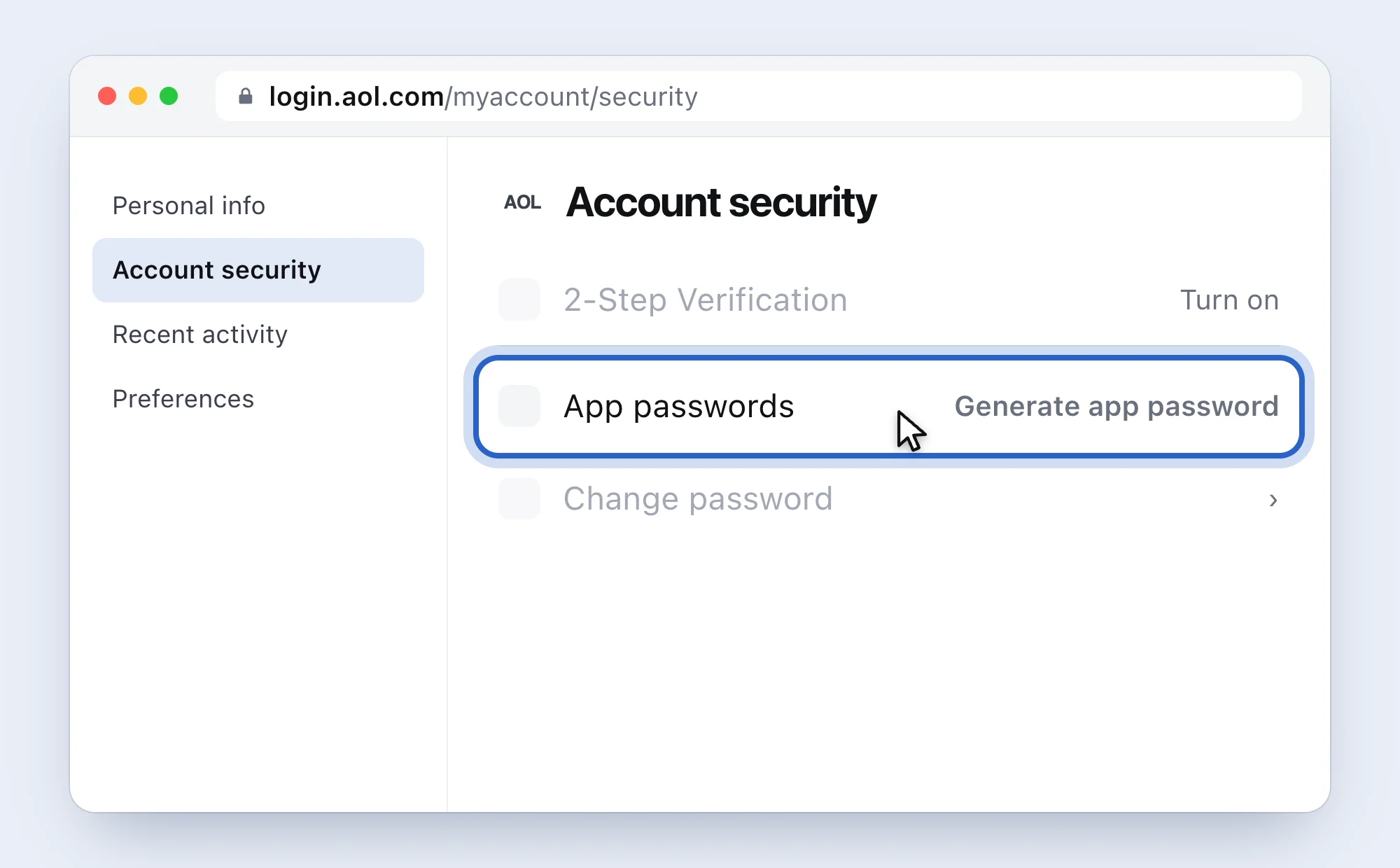
A simplified drawing of AOL’s page, with AOL’s words. -
Type “Roost” and click Generate password
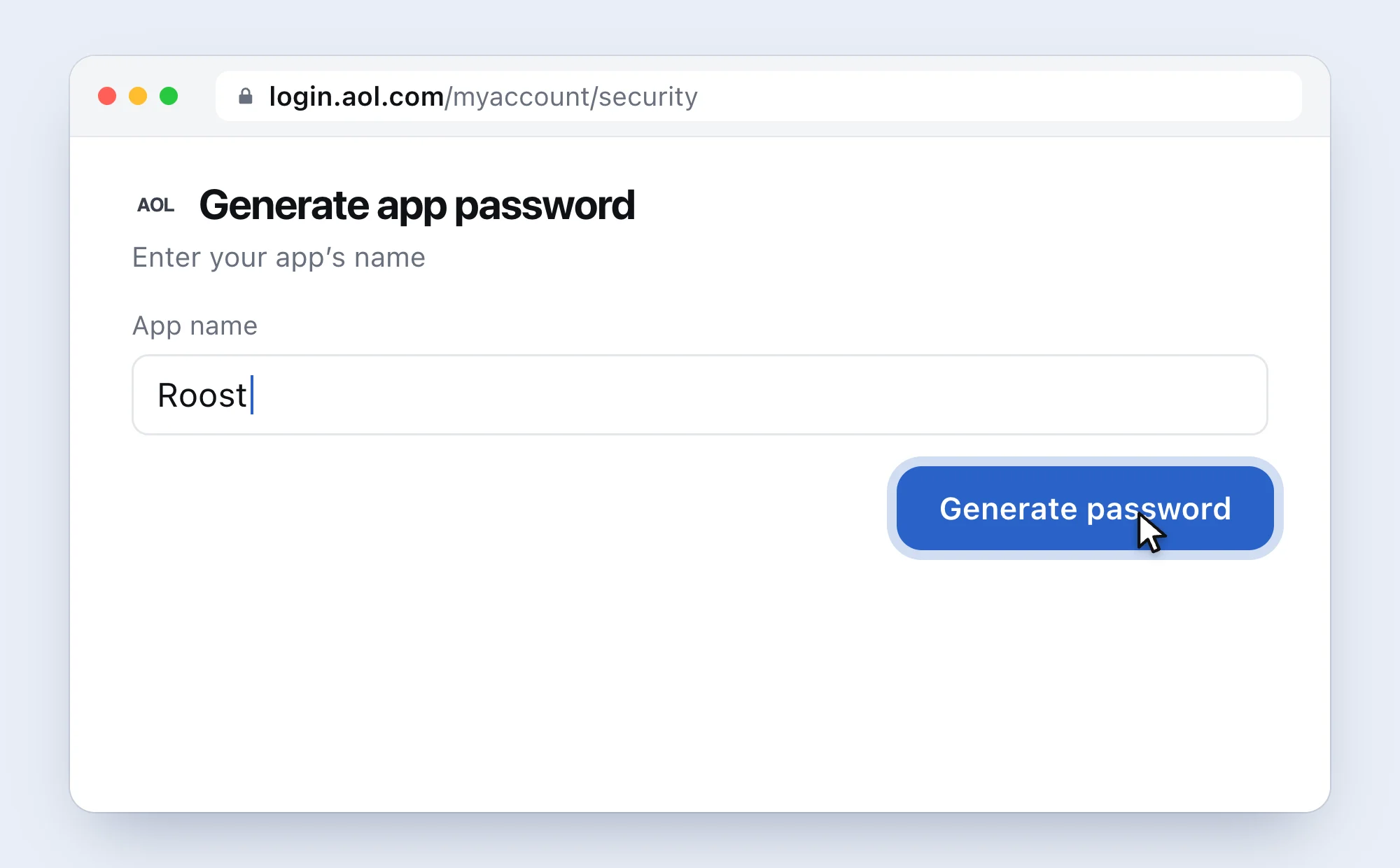
Check the address bar says login.aol.com. -
Copy the password, then click Done
Copy the code AOL shows (⌘ C). If you lose it later, make a new one.
-
Paste it into Roost and click Connect
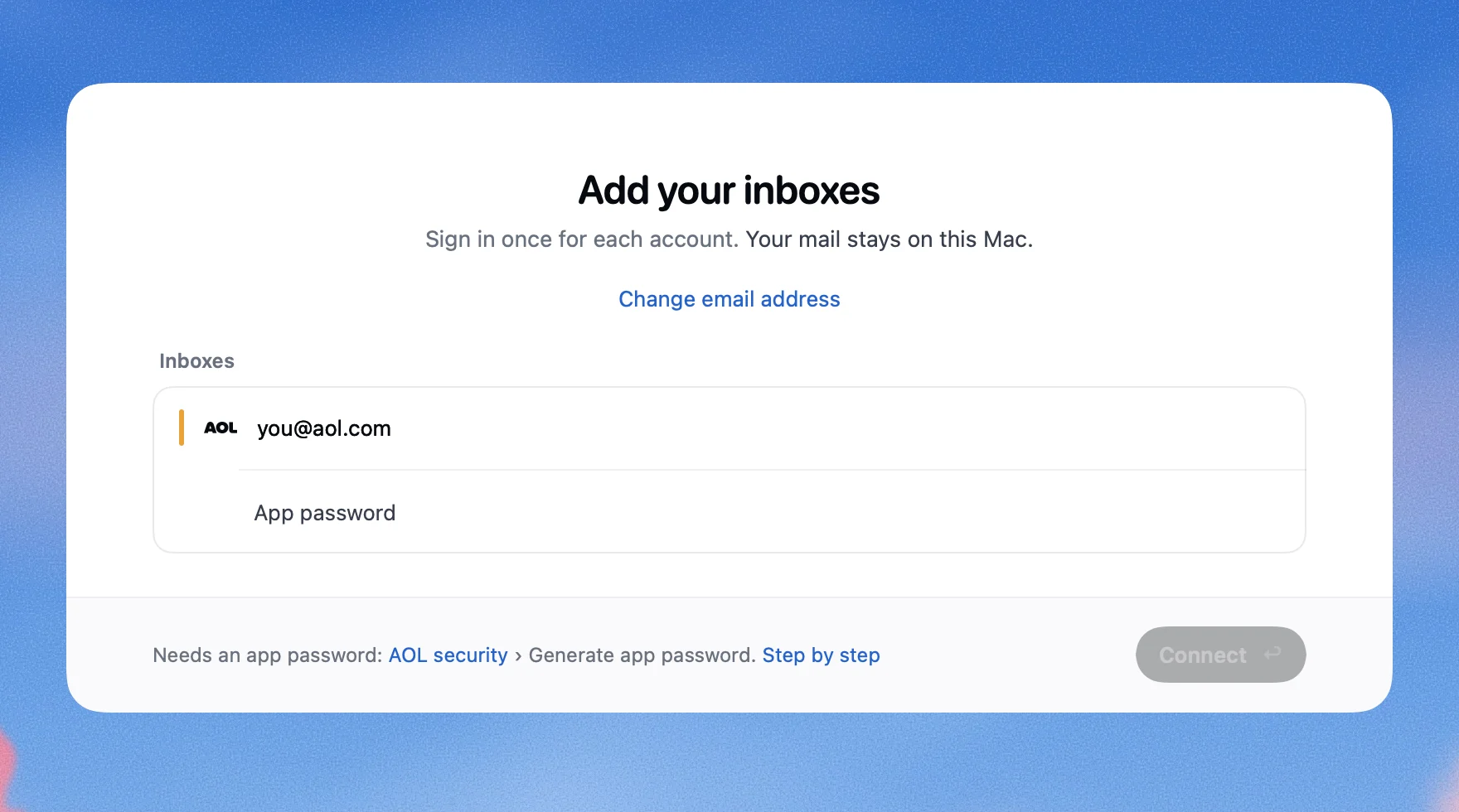
This is Roost.


If it doesn’t work
- There’s no Generate app password button
- AOL decides who may make one: use a browser you’ve signed in to AOL with for several days in a row, not a private window. AOL’s customer care can’t switch it on for you.
- Roost says
AOL needs an app password, not your usual one.
- You typed your AOL password. Make an app password and paste that.
- Roost says
That password didn’t work.
- Make a new one and paste it rather than typing it.
Questions people ask
Is this my AOL password?
No. It’s a separate code AOL makes for one app. Your AOL password doesn’t change.
What if I change my AOL password?
The app password keeps working until you delete it.
AOL’s help mentions a phone number for support. Do I need it?
No. That’s AOL’s paid support line. Everything on this page works without it, and you can always write to me at [email protected].
How do I remove Roost’s access later?
In Roost: Settings, pick the inbox, Remove Inbox…. At AOL: Account Security, Generate and manage app passwords, then Delete next to Roost.
Sources
AOL Help: Create and manage 3rd-party app passwords, 2-step verification, Use POP or IMAP to sync AOL Mail on a third-party app. Checked 5 November 2026.
 Gmail2-Step Verification, then an app password
 iCloud MailAn app-specific password
 OutlookSign in with Microsoft
 Yahoo MailAn app password
 Zoho MailIMAP on, sometimes an app password
 Yandex MailMail apps on, then an app password
 Any other addressUsually your mail password