Before you start
- Your Zoho address and password.
- A Zoho plan that includes IMAP. Zoho’s paid plans do. New free accounts don’t: Zoho stopped giving IMAP to newly signed-up free users.
- Your phone, if you sign in to Zoho with a code or the OneAuth app.
Why this is safe
- The switch and any app password are made on Zoho’s own sites, mail.zoho.com and accounts.zoho.com (or your region’s, like zoho.eu).
- Roost keeps the password in your Mac’s Keychain and has no server to copy it to.
- You can turn IMAP off or delete the app password on Zoho’s side at any time.
Step by step
-
Turn on IMAP Access in Zoho Mail
Open Zoho Mail in your browser, then Settings, Mail Accounts, and click your address. In the IMAP section, tick IMAP Access and click Save. You only do this once.
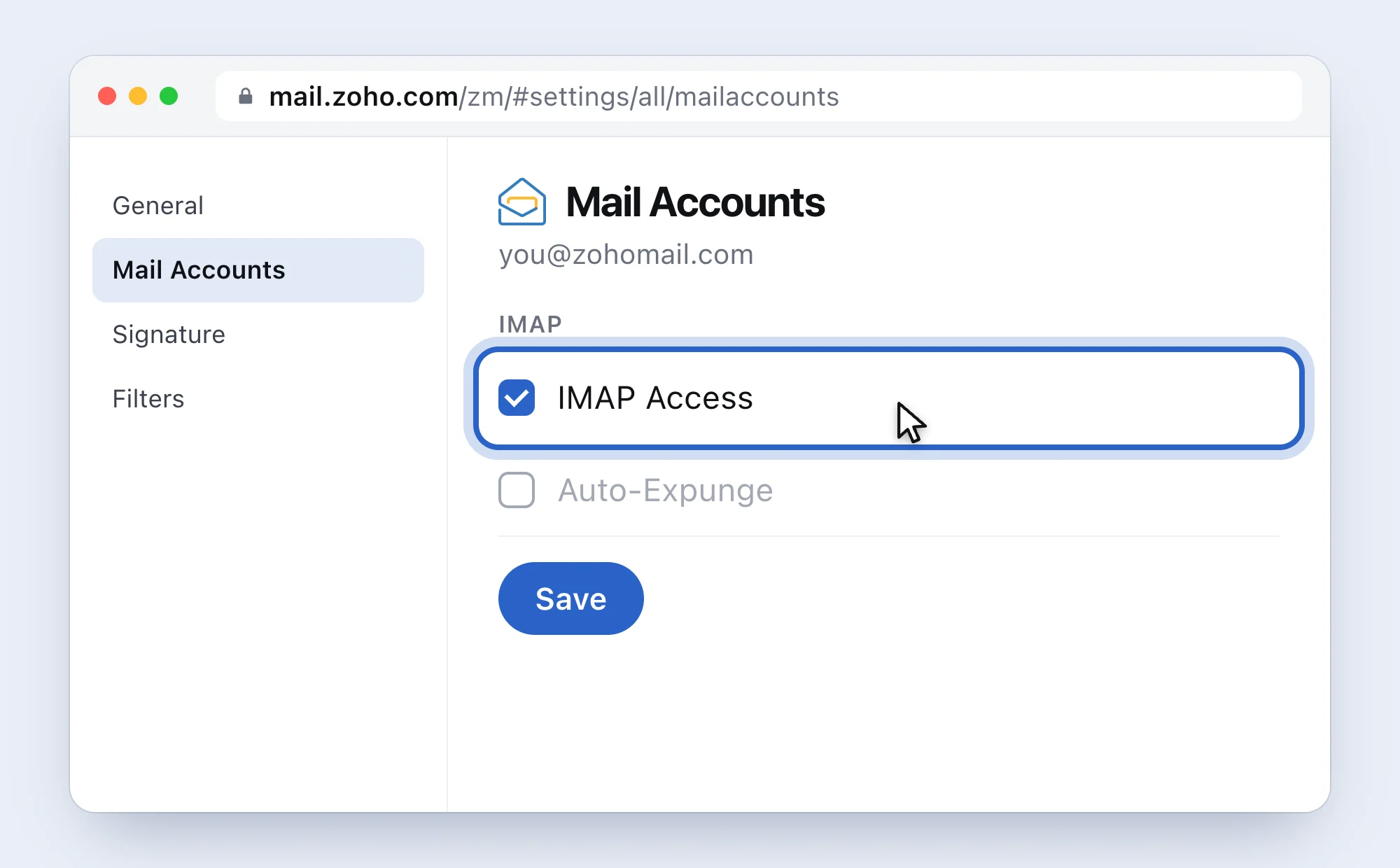
A simplified drawing of Zoho’s page, with Zoho’s words. If the box says This feature is not available for your account, your plan has no IMAP. Only a plan change, or your company’s Zoho admin, can fix that.
-
Do you sign in to Zoho with a code or OneAuth?
No: use your normal Zoho password in Roost and skip to step 4.
Yes: Zoho won’t accept your normal password in mail apps. Make an app password (step 3). Zoho suggests one even without two-factor, and it’s a fine habit.
-
Make an app password
Go to accounts.zoho.com (or your region’s: accounts.zoho.eu, .in, .com.au, .jp, zohocloud.ca). Open Security, then App passwords, click Generate New Password, type Roost and click Generate. Copy the 12 characters. Zoho shows them only once.
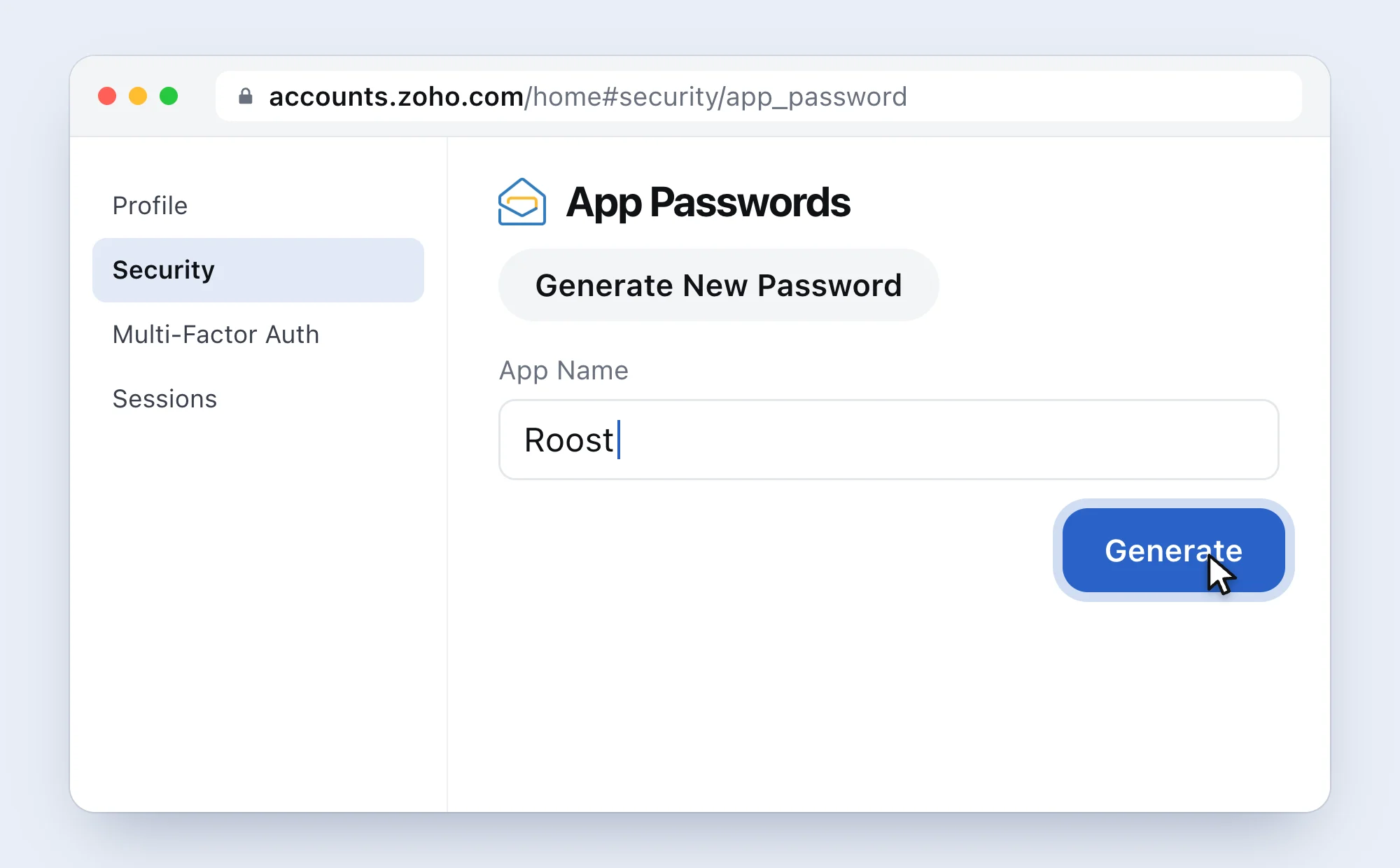
Paste it without spaces. -
Paste it into Roost and click Connect
Roost finds your data centre from your address, so you don’t pick servers from a table.
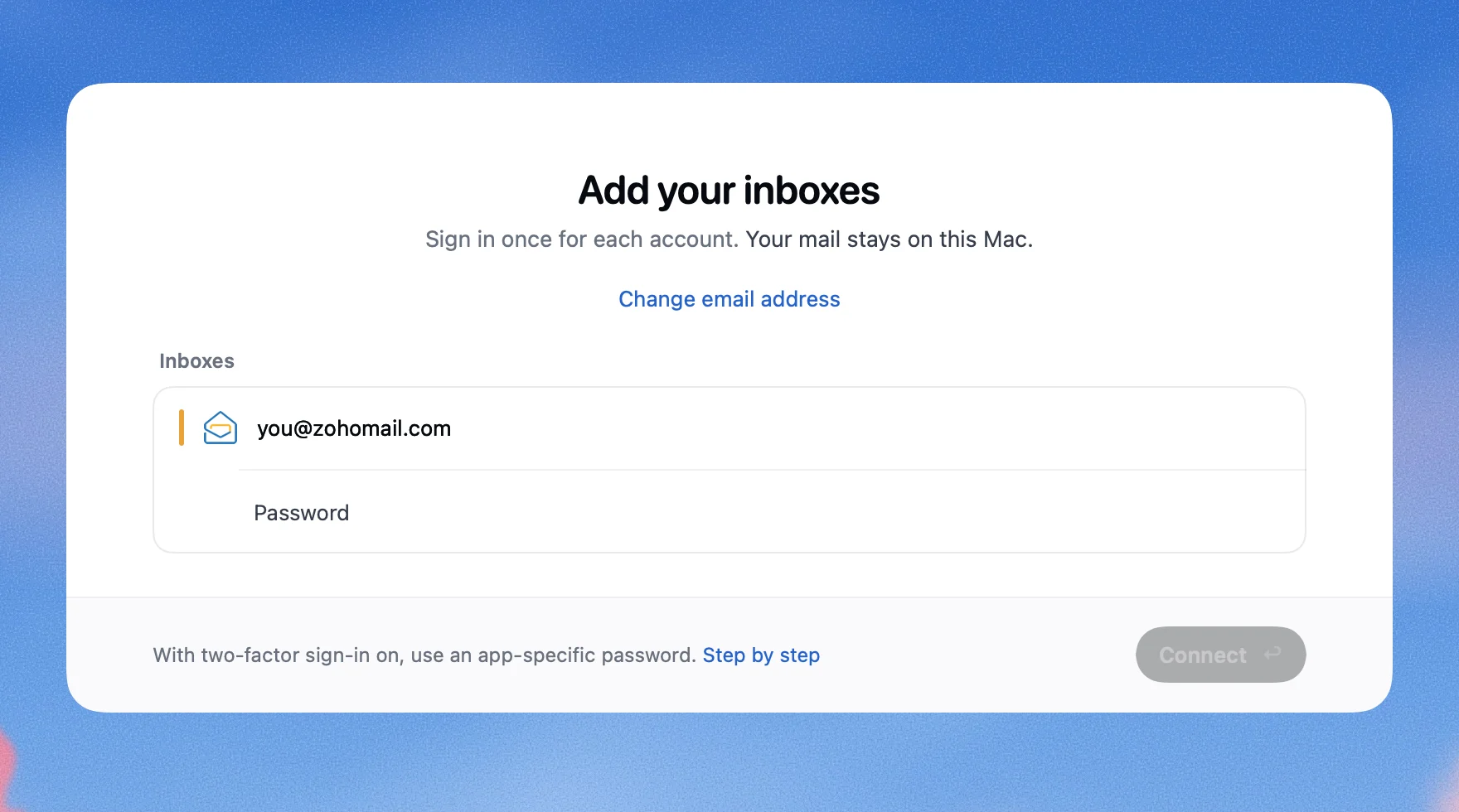
This is Roost.


If it doesn’t work
- Roost says
Mail apps are off in Zoho.
- IMAP Access is off, your plan doesn’t include it, or your admin blocked it. Do step 1. If the box isn’t there to tick, ask your Zoho admin or check your plan.
- Roost says
That password didn’t work.
- With two-factor on, Zoho needs an app password (step 3). If you signed up for Zoho with Google or another account, Zoho also wants you to set a Zoho password first.
- It worked, then stopped after you changed the server names
- Zoho has separate servers for each region and for paid plans. Use the ones Roost found, or the ones in your Zoho Mail settings under server details.
Questions people ask
Which Zoho region am I in?
Look at your browser’s address bar while you’re in Zoho Mail: mail.zoho.com is the US, mail.zoho.eu Europe, mail.zoho.in India, and so on. Roost works this out on its own.
Do Zoho app passwords expire?
No. Zoho says they never expire. Delete it if you stop using Roost.
How do I remove Roost’s access later?
In Roost: Settings, pick the inbox, Remove Inbox…. At Zoho: accounts.zoho.com, Security, App passwords, and delete “Roost”. You can also untick IMAP Access.
Sources
Zoho Mail Help: IMAP Access, Apple Mail with IMAP, Two-factor authentication. Zoho Accounts: Securing your Zoho account, Know your data centre. Checked 5 November 2026.
 Gmail2-Step Verification, then an app password
 iCloud MailAn app-specific password
 OutlookSign in with Microsoft
 Yahoo MailAn app password
 Yandex MailMail apps on, then an app password
 AOL MailAn app password
 Any other addressUsually your mail password